
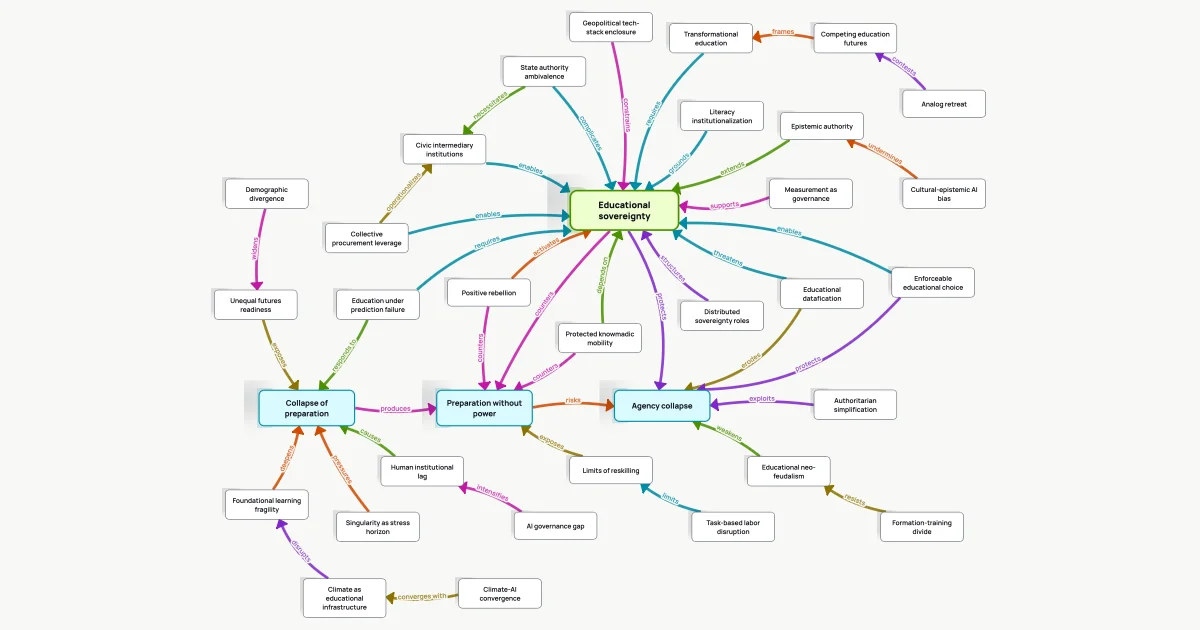
Develop a conceptual understanding of your research.
A collection of references records what you have read. A knowledge map can document what you understand about the material. Connect theories, findings, and interpretations to examine how they contribute to your research questions.
Using knowledge maps throughout a research project
Developing research questions
Map what you know about a subject, examine relationships between its concepts, and identify questions that warrant further investigation.
Literature reviews
Organize ideas from several publications. Connect related findings, compare theoretical perspectives, and examine where researchers agree or disagree.
Conceptual and theoretical frameworks
Represent the concepts, assumptions, and proposed relationships that inform your research. Revise the framework as your investigation develops.
Qualitative research
Explore relationships between themes, categories, and interpretations emerging from interviews, observations, and documents.
Interdisciplinary research
Examine how concepts and findings from different disciplines relate to one another. Document differences in terminology, assumptions, and theoretical perspectives.
Writing research publications
Develop the structure of an argument, examine its supporting evidence, and prepare figures that communicate relationships between ideas.
Communicating research findings
Present maps at conferences, include them in publications, or publish interactive versions that readers can explore.
How to map a literature review
- Establish a research question
Define the question or problem that guides your review.
- Collect relevant literature
Identify publications through your usual literature search and reference management processes.
- Identify concepts and findings
Add ideas, theories, methods, and findings from your reading. Record references and relevant details.
- Examine relationships across publications
Consider whether findings support, contradict, extend, or qualify one another. Describe these relationships in your map.
- Develop your interpretation
Examine recurring themes, differences in perspective, unresolved questions, and potential gaps in the literature.
- Use the map to inform your writing
Develop your synthesis of the literature and return to the original sources to verify claims and interpretations.
Work with the ideas you find.
Literature discovery tools help you find relevant publications, while reference managers help you organize them. KnowMapped provides a place to examine the ideas within those publications and develop relationships between them as part of your research.
Illustrative research workflow:
| Activity | Tools or outputs | Purpose |
|---|---|---|
| Discover literature | Google Scholar, academic databases, ResearchRabbit, Connected Papers | Find publications relevant to your research questions. |
| Manage sources | Zotero, EndNote, Mendeley | Organize publications and maintain bibliographic records. |
| Examine ideas and relationships | KnowMapped | Connect concepts, compare findings, develop interpretations, and document your reasoning. |
| Develop and communicate your research | Research publications, presentations, and interactive maps | Use your analysis to develop arguments and communicate findings. |
An illustrative research workflow. Researchers may move between these activities throughout a project.
AI and the research process
Use AI-assisted mapping to examine documents and develop initial representations of their ideas. With Professional, you can also connect compatible AI assistants through MCP to work with research maps through conversation. Review proposed concepts and relationships against the original sources.
Document generation uses credits. MCP access is included with Professional.
Develop research maps with colleagues.
Research often involves conversations that change our understanding of a subject. Develop maps with research partners, supervisors, and students to document emerging ideas, examine different interpretations, and work toward a shared understanding.
Professional supports real-time collaboration on maps owned by a Professional account, allowing participants to contribute to the same map as their discussions develop.
Research teams
Bring together findings from different members of a research team and examine relationships across their areas of investigation.
Doctoral research and supervision
Develop conceptual frameworks, discuss research questions, and examine how arguments relate to the literature.
Research seminars
Use maps to guide discussions of research publications, theoretical perspectives, and emerging findings.
Share your research as interactive maps.
Include maps in research publications, conference presentations, and reports. You can also publish an interactive version that readers can explore, allowing them to examine concepts, follow relationships, and read accompanying descriptions.
Research figures
Export maps as SVG, PDF, PNG, or JPEG for use in publications.
Interactive publications
Embed public maps in research websites and online publications.
Conference presentations
Guide audiences through selected parts of a research map.
Research materials
Preserve or share editable map files. Professional includes additional structured export formats.
Your research remains yours.
Maps are private by default. You decide whether to share them with colleagues or publish them for others to explore. Uploaded source documents are removed after processing.
When working with confidential research material, consider the requirements of your institution, research ethics approval, and applicable data protection policies before using AI-assisted generation.
Extracted text is processed by third-party AI providers. Generated content and limited source excerpts can remain in saved maps.
Free and Professional accounts for research
Free: Individual research
Develop literature maps, conceptual frameworks, and visual representations of your research.
$0
- Up to 25 active maps
- Knowledge maps and futures wheels
- Notes and references
- Presentations and standard exports
- Interactive publishing
Professional: Collaborative research
Develop maps with research partners, connect AI assistants, and prepare maps for professional publications.
$49, one-time purchase
- Up to 1,000 active maps
- Real-time collaboration
- Advanced editing and styling
- Structured data exports
- Watermark-free publishing
- MCP and 100 generation credits
AI-assisted document generation uses optional generation credits on both plans.
Methodological resources
- Novak, J. D., & Cañas, A. J. (2008). The theory underlying concept maps and how to construct and use them. Institute for Human and Machine Cognition.
- Conceição, S. C. O., Samuel, A., & Yelich Biniecki, S. M. (2017). Using concept mapping as a tool for conducting research: An analysis of three approaches. Cogent Social Sciences, 3(1), 1404753.
- de Ries, K. E., Schaap, H., van Loon, A.-M. M. J. A. P., Kral, M. M. H., & Meijer, P. C. (2022). A literature review of open-ended concept maps as a research instrument to study knowledge and learning. Quality & Quantity, 56, 73–107.
- Imperial College London. (n.d.). Concept maps.
Frequently asked questions
How would I use this for a literature review?
Connect concepts and findings across publications to examine where studies agree, where they conflict, and how authors explain the same issue. Add references to the relevant concepts so you can return to the sources while developing your interpretation.
Does KnowMapped find papers or manage my references?
Use literature search tools to find papers and a reference manager for bibliographic records. KnowMapped helps you examine the ideas from that reading. You can add references to a map, but KnowMapped does not search academic databases or conduct a systematic review.
Do I need a paid account for research?
Free includes up to 25 active maps, presentations, interactive publishing, and standard exports. Professional costs $49 once and adds collaboration, advanced editing, MCP access, and additional exports. Generating maps from documents requires credits on either tier; Professional includes 100 credits.
How can I start a map from a paper I am reading?
You can build it yourself as you read, or upload a PDF or another supported document format to generate a draft with AI. Either way, you can revise the concepts, relationships, and layout. Document generation uses credits; manual map creation and editing do not.
Can I use it to develop a conceptual framework?
You can map the concepts and proposed relationships that frame your study, add supporting references, and revise the framework as your research develops. The map gives you something concrete to discuss with a supervisor or research team.
Can my supervisor or research team work on the map with me?
Professional supports real-time collaboration on maps owned by a Professional account. You can examine the same map together to discuss research questions, compare interpretations, or revise a framework.
Can I use a map in my dissertation or a journal article?
Export figures as SVG, PDF, PNG, or JPEG to suit the publication’s requirements. Professional includes watermark-free output. For an online publication or project website, you can also embed a public map that readers can explore.
Is it suitable for unpublished or confidential research?
Maps are private by default, and you control whether to share or publish them. AI-assisted document generation sends extracted text to third-party AI providers. Uploaded files are removed after extraction, but maps may retain generated content and limited source excerpts. Check your institution’s ethics and data requirements, and the privacy policy, before uploading confidential research material.