
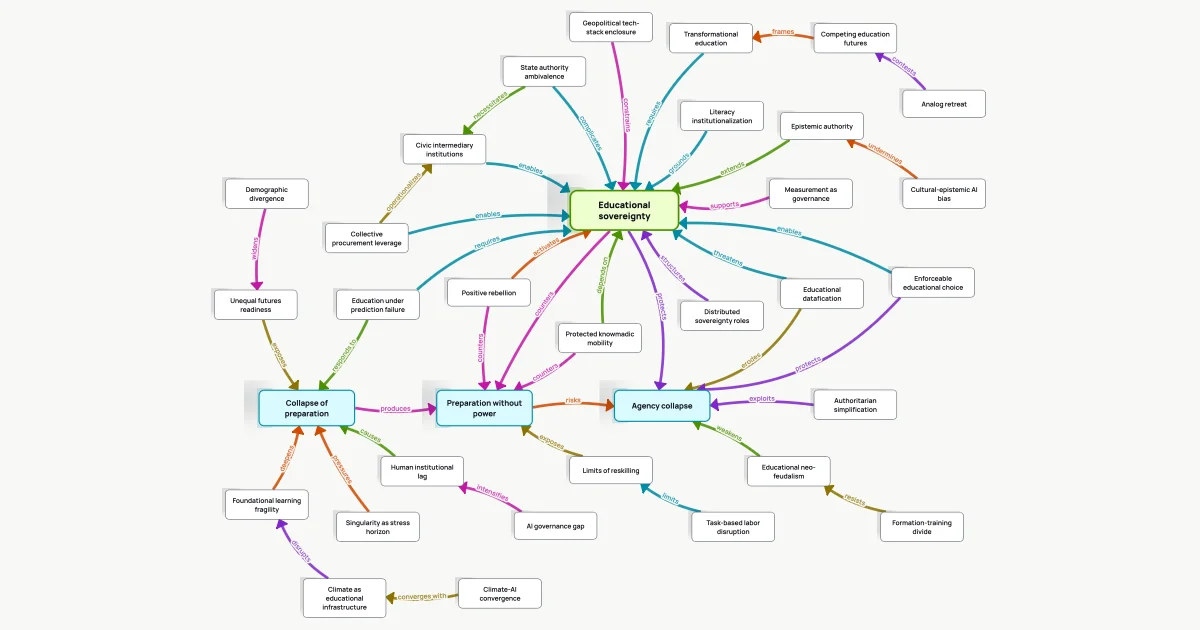
From a sequence of pages to a network of ideas
When we read a document, we encounter its ideas in the order chosen by the author. A knowledge map provides another way to examine those ideas. Concepts can be connected across sections, chapters, and topics, allowing us to explore relationships that may be less apparent when reading the text.
How to create a concept map from a PDF
- Upload your document
Sign in to KnowMapped and select the option to create a map from source material. Upload a PDF or another supported document.
- Configure map generation
Choose the available generation settings and review the number of credits required before proceeding.
- Generate your map
KnowMapped processes your document and creates a knowledge map containing concepts and proposed relationships.
- Review and edit the map
Compare the proposed concepts and relationships with your reading of the document. Correct interpretations, add missing ideas, and arrange the map to suit your work.
- Continue working with your map
Save your map for further research, present it to colleagues, export it for a publication, or publish an interactive version.
Work with PDFs, books, reports, and other documents.
You can generate knowledge maps from the following document formats:
| Format | Description |
|---|---|
| PDF documents | |
| DOCX | Word documents |
| ODT | OpenDocument text |
| EPUB | Electronic books |
| PPTX | Presentations |
| RTF | Rich text |
| TXT | Plain text |
| MD | Markdown |
| HTML | HTML documents |
Maps generated from these formats use the same editor and can be revised, presented, published, and exported.
Scanned PDFs require text recognition (OCR) before uploading. Password-protected documents are not supported.
Applications
Research papers and literature reviews
Examine how theoretical concepts, research methods, findings, and interpretations relate within a publication. Use the map as a starting point for your own analysis.
Books and textbooks
Explore relationships between ideas introduced in different chapters. Develop maps that reflect your reading and understanding of the material.
Policy and strategy documents
Map relationships between objectives, assumptions, recommendations, dependencies, and potential outcomes.
Teaching materials
Develop maps from course readings and instructional materials. Use them to discuss relationships between concepts with learners.
Organizational knowledge
Examine relationships within procedures, technical documentation, project reports, and other material that describes how an organization works.
Pay for document generation as you need it.
You can create and edit knowledge maps with a free KnowMapped account. AI-assisted document generation uses credits, which you can purchase as needed.
Generation credits
Available with Free and Professional accounts. Purchased credits do not expire.
$10 for 100 credits
Professional
Includes 100 generation credits, collaboration, MCP access, and additional editing and export options.
$49, one-time purchase
The number of credits required depends on your source material and generation settings. KnowMapped displays the cost before you approve generation. You can continue editing your generated map without using additional credits.
On either plan, you can purchase another 100 credits when your balance falls below 100. View pricing.
Your documents and maps
Uploaded files are removed after extraction. KnowMapped uses third-party AI providers to process the extracted text. Your generated maps remain private unless you choose to share or publish them.
Generated content and limited source excerpts can remain in saved maps.
Develop your own interpretation.
Two people reading the same document may identify different relationships between its ideas. The map generated by KnowMapped provides a starting point that you can examine and revise as you develop your own interpretation of the material.
Frequently asked questions
How do I turn my PDF into a map?
Sign in, choose to create a map from source material, and upload your PDF. Review the generation settings and credit cost, then start generation. KnowMapped produces an editable knowledge map of the document’s concepts and proposed relationships.
Is PDF conversion free?
You can use a free account, but AI-assisted document generation requires credits. Credits cost $10 per 100, and KnowMapped shows the cost of your document before you approve generation. Professional costs $49 once and includes 100 credits. Editing the resulting map by hand does not use credits.
Will it work with a scanned PDF?
A scanned PDF needs text recognition (OCR) before you upload it. KnowMapped requires extractable text; it does not perform OCR. Password-protected documents are not supported.
Can I use a whole book or a long report?
You can upload PDF or EPUB books and reports, subject to upload and processing limits. The cost depends on the amount of source material and your generation settings, and is shown before you approve generation.
Can I change the map if the AI gets something wrong?
You can edit every concept and connection, add missing ideas, and change the layout. The generated map is a draft you can check against the source and develop with your own notes and references. Manual editing does not use credits.
Can I download the map or share it with someone?
You can export SVG, PDF, PNG, or JPEG files, or transfer an editable copy between KnowMapped accounts using a .know file. Both account tiers also support public links and website embeds. Professional adds watermark-free output and additional export formats.
What happens to my document after I upload it?
Uploaded files are removed after text extraction. Extracted text is processed by third-party AI providers, and the saved map may retain generated content and limited source excerpts. Maps are private by default. Check the privacy policy and any institutional requirements before uploading confidential material.