
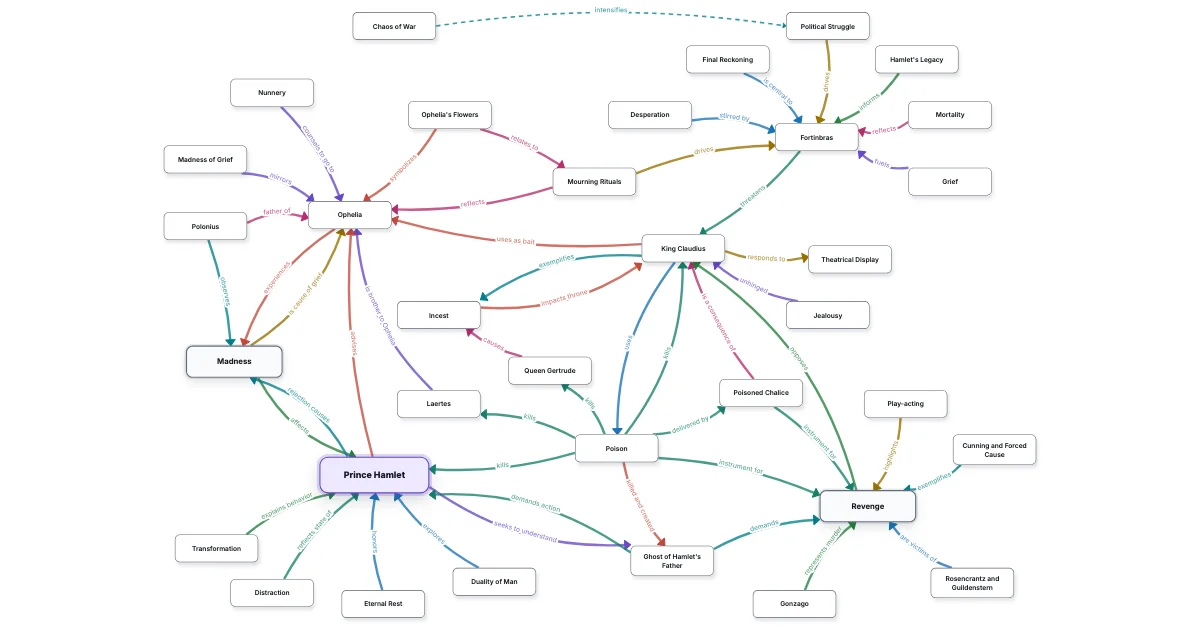
What is a concept map?
A concept map represents ideas and the relationships between them. Concepts appear as nodes, and connections describe how one concept relates to another.
Joseph Novak and his colleagues developed concept mapping in the 1970s to study how learners construct and develop knowledge. The method has since found applications in education, research, organizational planning, and other areas where people need to understand complex subjects.
Concept mapping in KnowMapped uses the knowledge map editor. Knowledge maps can follow a hierarchy or develop as networks of ideas connected across several topics.
Novak, J. D., & Cañas, A. J. (2008). The theory underlying concept maps and how to construct and use them. Institute for Human and Machine Cognition.
How to create a concept map
- Start with a question
What are you trying to understand? A question can help you decide which concepts belong in your map and which relationships deserve attention.
- Identify the concepts
Add the ideas, people, events, findings, or other elements relevant to your subject. Include descriptions and references where they help explain a concept.
- Connect related concepts
Examine how the concepts relate to one another. Give connections names such as “supports,” “depends on,” “contributes to,” or “contradicts.”
- Arrange your map
Position related concepts so their connections are easier to follow. Use an automatic layout or arrange the concepts yourself.
- Review and revise
Read through the relationships you have described. Consider whether they make sense, whether important concepts are missing, and whether new connections have emerged.
- Share your understanding
Present your map, export it for a publication, or publish an interactive version that others can explore.
What is the difference between a concept map and a mind map?
Mind maps help us organize ideas around a central topic. Concept maps place greater emphasis on describing relationships between ideas, including connections that extend across different parts of a map.
Mind map: Ideas organized into branches around a central topic.
Concept map: Ideas connected through relationships that carry meaning.
A mind map can help you outline an essay or organize a brainstorming session. A concept map can help you examine the argument within that essay or the relationships between ideas raised during the session.
What can you use a concept map for?
Learning and studying
Examine how the concepts introduced in a course or textbook relate to one another. Identify gaps in your understanding and questions you want to investigate.
Research and literature reviews
Connect findings, theories, methods, and competing explanations across a body of research.
Writing and developing arguments
Examine how claims relate to evidence, identify assumptions, and consider alternative interpretations before developing a written argument.
Systems thinking and strategy
Represent relationships between policies, stakeholders, resources, decisions, and outcomes.
Teaching and facilitation
Develop maps with learners or workshop participants to examine how people understand a subject and where their interpretations differ.
Create concept maps from documents.
Upload a PDF, research paper, report, or book to generate an editable knowledge map of its concepts and relationships. Review the proposed map and revise it as you work through the material.
AI-assisted document generation uses generation credits. Manual map creation is free.
Why use KnowMapped?
| Capability | Description |
|---|---|
| Labeled relationships | Describe how concepts relate to one another and specify the direction of their connections. |
| Flexible map structures | Organize concepts into hierarchies, networks, or groups of related ideas. |
| Notes and references | Document the sources and reasoning behind your map. |
| Automatic layouts | Rearrange complex maps using different layout algorithms. |
| Interactive maps | Publish maps that readers can explore themselves. |
| Portable files | Save, export, and transfer your maps using the .know file format. |
| Collaboration | Work on maps with colleagues using Professional. |
| AI integrations | Generate maps from documents using credits, or connect compatible AI assistants through MCP with Professional. |
Frequently asked questions
How is this different from a mind mapping tool?
A mind map usually develops branches around a central topic. KnowMapped lets you connect concepts across the map and describe their relationships. For example, one finding might support an argument or contradict another finding. You create concept maps in KnowMapped’s knowledge map editor.
What is included with a free account?
You can create, edit, present, publish, and export maps, with up to 25 active maps. Building a map yourself does not use credits. Professional costs $49 once and adds collaboration, advanced editing, and additional exports.
How can I create a map from a PDF?
Upload the document using the option to create a map from source material. KnowMapped uses AI to propose concepts and relationships that you can edit afterward. Generation requires credits on either account tier; you see the cost before approving it.
Can someone else work on the map with me?
Professional supports real-time collaboration on maps owned by a Professional account. You can also publish a public link or embed a finished map in a website with either account tier.
What can I download when I am finished?
Free includes SVG, PDF, PNG, and JPEG exports for documents and presentations, plus portable .know files for transferring editable maps between KnowMapped accounts. Professional also includes JSON, Markdown, GraphML, and Graphviz DOT exports.
Are my maps visible to other people?
Maps are private by default. You decide whether to grant access to someone else or publish a public version.